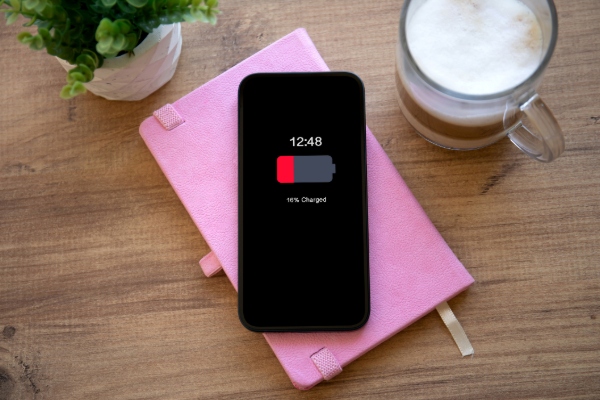
Dial down the brightness
Your display is one of the biggest culprits when it comes to battery drain. Turning down the brightness or switching on adaptive brightness can make a big difference without sacrificing visibility. If you’re outside, just bump it up enough to see clearly and turn it back down once you’re indoors. You can also set your screen to go to sleep after a shorter period of inactivity - no point lighting up the room when you’ve put your phone down.
Switch off what you don’t need
Bluetooth, Wi-Fi, mobile data and location services all use power in the background, even when you’re not actively using them. If you’re not sharing your location or streaming music, switch them off until you need them again. It’s especially useful when you’re in areas with weak reception, where your phone works overtime trying to stay connected.
Use battery saver mode
Almost every smartphone has a power-saving or low-power mode tucked away in its settings. It reduces background activity, limits updates and dials down performance slightly - but you’ll barely notice the difference. It’s a great habit to turn this mode on before long days away from a charger, road trips, or when you’re waiting for an important call and want to stretch every last bit of charge.
Keep it cool
Heat is one of the biggest enemies of battery health. Leaving your phone in the car, on the dashboard or in direct sunlight can permanently weaken the battery. Even when charging, it’s better to keep your phone in a cool, shaded spot. If it starts to feel hot while charging, unplug it and let it rest before topping it up again.
Charge smarter
It might feel convenient to plug your phone in overnight, but constantly charging to 100 per cent can shorten your battery’s lifespan. Lithium-ion batteries prefer to sit somewhere between 20 and 80 per cent. Try topping up during the day instead of letting it drain completely and unplug once it’s comfortably charged. Some phones even have smart charging settings that automatically slow or stop charging at night to protect the battery - it’s worth checking your settings.
Update your apps and software
Developers often release updates that fix bugs and improve power efficiency. If your phone or apps are out of date, they can end up using more energy than necessary. Make a habit of checking for updates regularly - it keeps your phone running smoothly and your battery lasting longer.
Cut down on background apps
Many apps keep running quietly in the background, refreshing data or checking for updates even when you’re not using them. You can manually close unused apps or adjust app permissions to limit background activity. It’s an easy way to save power without affecting how you use your phone day to day.
Turn off push notifications
Every time your phone lights up or vibrates for a notification, it uses a bit of battery power. If you’re getting alerts from apps you don’t really care about, it’s time for a clean-up. Keep the important ones - messages, calls, maybe your calendar - and switch off the rest. You’ll save energy and avoid unnecessary distractions too.
Simplify your screen
Animated wallpapers and constantly updating widgets look impressive but quietly drain your battery. A static image and fewer widgets will reduce power use and keep your home screen looking clean and calm. Dark wallpapers can also help if your phone has an OLED or AMOLED display, since those screens use less energy to display darker colours.
Ditch the vibration
Vibration alerts use a surprising amount of power because they rely on a small motor. If you don’t need your phone to buzz with every message, switch to sound or visual alerts instead. You’ll still know when someone’s trying to reach you, and your battery will last longer.